Skip to contentAbout Fig Group

Staff Training

Assign, track, and evidence compliance training across your workforce.

The challenge

Does this sound familiar?

Training is assigned but not tracked. Completion rates are unknown. Refresher timelines slip. You have no evidence that staff understand their security responsibilities.

How Fig helps

Staff Training with Fig

Assignment Workflows

Training assigned by role, location, or clearance level. Reminders escalate automatically. Progress tracked through course completion and assessment scores. Joiner-mover-leaver automation syncs with Workday, SuccessFactors, BambooHR, and ADP - new starters automatically receive training assignments, access provisioning, and policy sign-off requirements.

Multi-Format Content

Courses delivered as videos, interactive modules, quizzes, and phishing simulations. Content adapts based on staff role and learning history.

Certification Tracking

Training expiry dates managed automatically. Refresher scheduling based on framework requirements (CMMC, ISO 27001, SOC 2, DORA). Escalations trigger for approaching expirations. Integrates with KnowBe4, Moodle, and LinkedIn Learning for content delivery.

Compliance Evidence

Audit-ready proof of training assignment, completion, and assessment scores. Training effectiveness correlated with security incidents and compliance breaches.

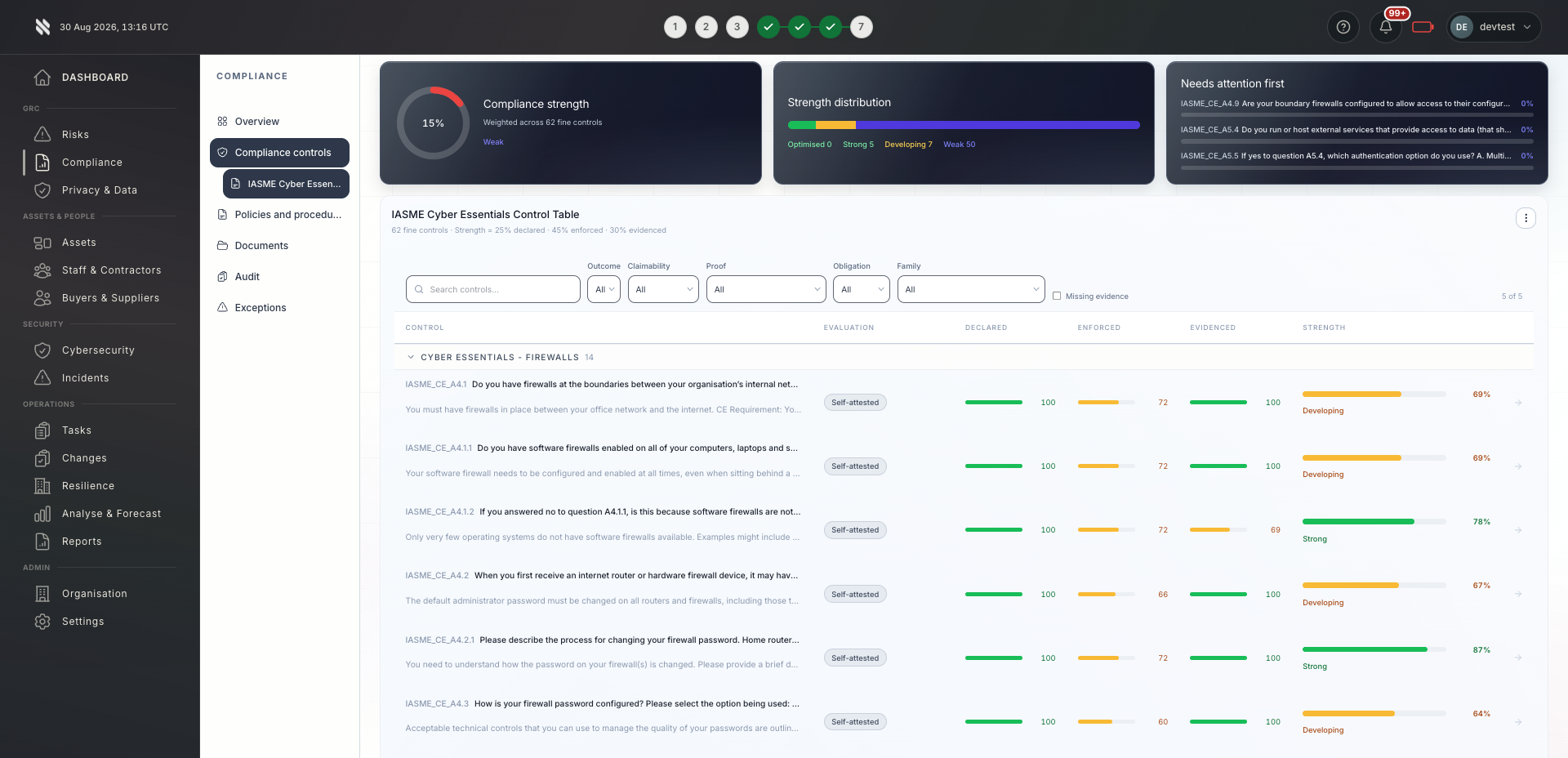
Core Capability

Fig tracks mandatory training completion by role, enforces onboarding training gates before access is granted, escalates overdue training to line managers, and triggers remedial training automatically after policy violations.

Audit-ready workflow

How Staff Training becomes evidence

Staff Training should not be treated as a standalone tool surface. In Fig it is part of a governed workflow: a signal is captured, an owner is assigned, a control or risk is updated, and evidence is retained so the organisation can prove what happened later.

Lifecycle

Where it sits in the operating model

The Prove phase is where this capability sits in the wider Fig operating model. Training is assigned but not tracked. Completion rates are unknown. Refresher timelines slip. You have no evidence that staff understand their security responsibilities. Fig turns that problem into a repeatable lifecycle so MSPs, risk teams, and auditors are not relying on static spreadsheets or ad hoc screenshots when a buyer asks for proof.

Evidence captured

What auditors and buyers see

For staff training, useful evidence normally includes the triggering record, the affected asset or supplier, the control requirement, the assigned owner, the decision made, the timestamp, and the outcome. That evidence is mapped back to frameworks such as Cyber Essentials, ISO 27001, NIS2, DORA, GDPR, CMMC, and internal policy requirements where relevant.

Implementation checks

Four steps to roll this out

  • 01Define who owns staff training and what events should trigger review.
  • 02Connect the relevant source systems so evidence is collected continuously.
  • 03Map outputs to the frameworks and policies that matter to the organisation.
  • 04Review exceptions, accepted risks, and overdue actions before audit or renewal.

Useful references

Independent sources buyers and auditors recognise

The exact evidence required still depends on your scope, risk profile, sector, and framework obligations.

Built for you

Who uses this?

MSPs & MSSPs

Standardised training programmes across all clients. Completion metrics and white-label certifications demonstrate client security posture to their customers.

Learn more

Security & risk teams

Mandatory security training embedded into onboarding and annual compliance cycles. Training tied to role changes and incident response requirements.

Learn more

Compliance & audit

Complete staff training records and assessment scores provided as evidence for security awareness and control effectiveness audits.

Learn more

Common questions

Frequently asked questions

Can we create custom training content?

Yes. You can upload custom videos, documents, and quizzes. Fig handles scheduling, reminders, completion tracking, and certification expiry management.

How does phishing simulation integrate with training?

Phishing simulations are assigned alongside awareness training. Results feed into analytics showing which user groups are most vulnerable and need targeted remediation.

Can we track training across multiple clients?

Yes. MSPs can manage training programmes across all client organisations from a single dashboard. Each client has isolated training records with portfolio-wide completion reporting.

What do we do about staff who repeatedly fail phishing simulations?

Fig automatically assigns targeted remedial training to repeat offenders. Their progress is tracked separately, and managers receive escalation reports. You can configure the threshold for what counts as a repeat failure and the remediation path that follows.

Does Fig provide the training content, or do we need to source our own?

Fig includes a built-in library of security awareness courses, phishing simulations, and compliance training modules. You can also upload your own content if you have organisation-specific material. Both types are managed through the same scheduling and tracking system.

Next step

See Staff Training in action.

Book a walkthrough tailored to your frameworks and tooling.