Asset-Context Feeds
Raw threat intelligence filtered and scored against your actual asset inventory, supply chain, and geographical risk profile. Noise drops dramatically.
Contextual threat feeds mapped to your asset inventory and risk register.

Threat feeds are generic and noisy. Alerts reference assets you don't own or have already patched. Contextual threat information never reaches the teams responding to incidents.
Raw threat intelligence filtered and scored against your actual asset inventory, supply chain, and geographical risk profile. Noise drops dramatically.
Active threat exploits automatically matched to your vulnerability scan results and asset configurations. Prioritisation updates as fresh source evidence is processed.
Threat context injected into incident investigations. Security teams see MITRE-aligned actor profiles, known techniques, and connected risk graphs linking incidents to your assets.
Threat data mapped to your suppliers, partners, and critical dependencies. Early warning when your supply chain is targeted.
This compliance controls view shows the wider Fig environment. Ask us to demonstrate threat intelligence against your own requirements.
A tailored walkthrough lets you review the relevant workflows, supported connections and reporting before deciding whether Fig is right for your team.
See it in a demo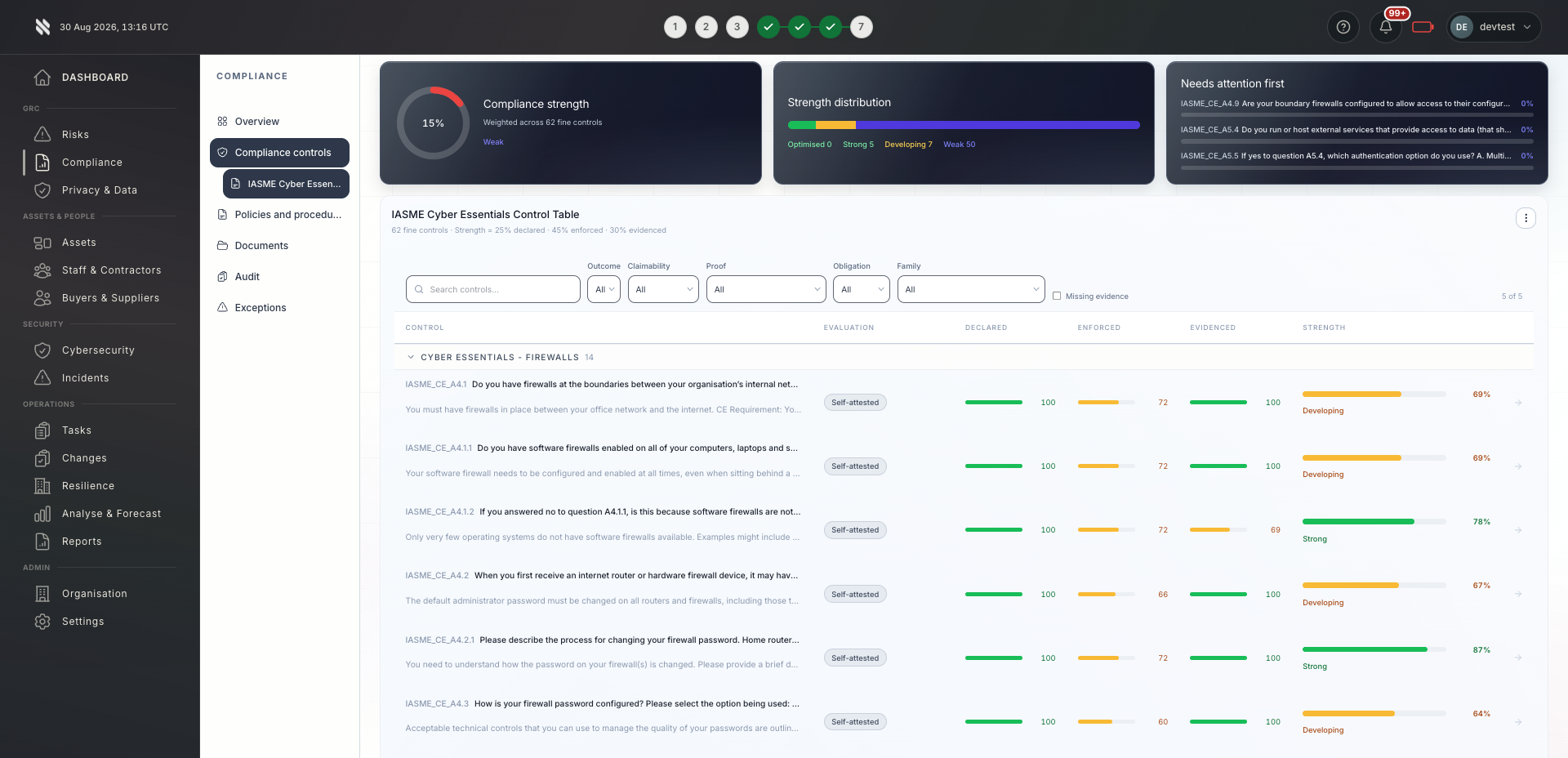

Bring delivery, oversight and assurance together without losing sight of who owns the next action.

Contextual threat intelligence standardised across your client portfolio. Client-specific feeds reduce alert fatigue and focus remediation efforts.
Explore Fig for MSPs
Operational security teams make faster threat decisions with portfolio context. Exec risk summaries show threat landscape impact on your business.
Explore Fig for organisationsEvidence of threat monitoring, assessment, and incident response readiness for ISO 27001, DORA, and security control audits.
Discuss your requirementsStart with the outcomes you need. We will discuss scope, delivery and commercial terms with you before you commit.
Discuss your current approach to threat intelligence, the teams involved and the requirements you need to meet.
See the relevant features in a tailored demonstration. Confirm integration coverage, responsibilities and any configuration needed.
Review the proposed scope and pricing. Set implementation priorities, ownership and review points around your organisation or client portfolio.
Platform functionality and automation depend on the agreed scope, configuration and connected systems. Software supports your compliance programme; it does not replace an independent assessment or guarantee certification.
Need to discuss a specific requirement or client scenario?
Speak to FigFig Group ingests feeds from CISA, Microsoft, Shodan, URLhaus, and commercial providers. Feeds are normalised and scored by relevance to your asset inventory and industry.
Threat context is delivered as connected feeds are collected and processed. Agree the feed coverage, refresh interval and escalation rules for your scope; publication-to-delivery time depends on provider availability, collection and processing. Critical threats can be escalated to SOC and security teams under those rules.
Yes. Threat feeds are filtered by your industry sector, geographical presence, and technology stack. Relevance scoring helps reduce alert fatigue. Its accuracy depends on current asset and supplier records, so your team should review coverage and emerging threats.
No. Fig Group does the correlation and filtering automatically. Your security team sees prioritised, contextual alerts rather than raw intelligence. If you do have dedicated analysts, they can dig into the underlying data and build custom correlation rules.
When an incident is opened in Fig Group, relevant threat context is attached automatically. Responders see known actor profiles, MITRE ATT&CK techniques, and indicators of compromise linked to your specific assets, without having to search for it themselves.
Tell us what you would like to achieve. We will arrange a relevant conversation about the platform, your requirements and the right next step.
Continue exploring the protect capabilities, or return to the full platform overview.