Baseline Definition
Document approved configurations for each asset class with version control and change approval workflows. Baselines lock in audit evidence.
Track configuration baselines, detect drift, and maintain audit-ready documentation.

Configuration drift accumulates silently across servers and applications. Change logs become unreliable. Auditors cannot verify that live systems match approved baselines.
Document approved configurations for each asset class with version control and change approval workflows. Baselines lock in audit evidence.
Ongoing monitoring identifies configuration changes as connected sources report them. Automated alerts flag unauthorised or out-of-policy modifications; refresh timing depends on the source and check schedule.
Every configuration change records who made it, when, why, and whether it was approved. Impact forecasting shows downstream effects before changes are applied. Full rollback trails maintained.
Configurations mapped to hardening benchmarks (CIS, DISA STIGs). Control compliance scored automatically and refreshed when new source evidence is processed.
This compliance controls view shows the wider Fig environment. Ask us to demonstrate configuration management against your own requirements.
A tailored walkthrough lets you review the relevant workflows, supported connections and reporting before deciding whether Fig is right for your team.
See it in a demo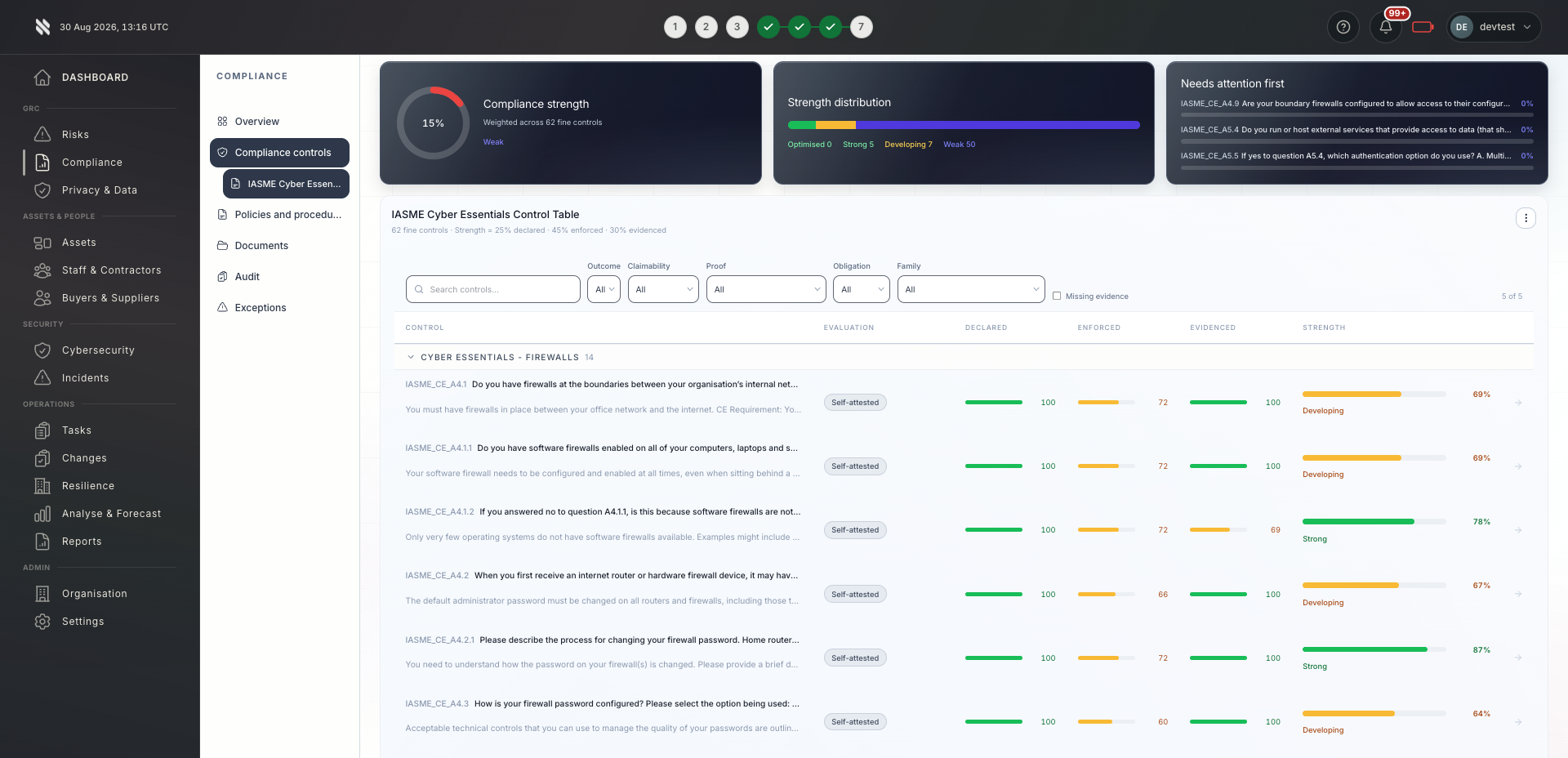

Bring delivery, oversight and assurance together without losing sight of who owns the next action.

Standardised configuration baselines across your entire client base with multi-client change approval workflows and portfolio-wide compliance tracking.
Explore Fig for MSPs
Configuration governance integrated with security operations and change management. All changes traceable to business drivers and compliance obligations.
Explore Fig for organisationsPre-built evidence of baseline adherence, change approval chains, and configuration accuracy at every audit point in time.
Discuss your requirementsStart with the outcomes you need. We will discuss scope, delivery and commercial terms with you before you commit.
Discuss your current approach to configuration management, the teams involved and the requirements you need to meet.
See the relevant features in a tailored demonstration. Confirm integration coverage, responsibilities and any configuration needed.
Review the proposed scope and pricing. Set implementation priorities, ownership and review points around your organisation or client portfolio.
Platform functionality and automation depend on the agreed scope, configuration and connected systems. Software supports your compliance programme; it does not replace an independent assessment or guarantee certification.
Need to discuss a specific requirement or client scenario?
Speak to FigFig Group sits alongside change management by adding configuration compliance and audit-ready evidence. It tracks what should be configured and verifies it stays that way.
Drift detection runs continuously for Windows and Linux servers via agents. Cloud resources are scanned every 24 hours. Scan frequency is configurable per asset type.
Fig Group raises an alert with the specific change, who made it, and which compliance controls are affected. Your team can approve, revert, or escalate. All decisions are documented for audit.
Yes. Each client or environment can have its own baseline configuration. You can also create baseline templates and apply them across similar environments, then override specific settings where needed.
Yes. Fig Group monitors configuration state for Azure, AWS, and GCP resources via API. Cloud resource configurations are checked against your defined baselines and CIS benchmarks, with drift alerts treated identically to on-premise systems.
Tell us what you would like to achieve. We will arrange a relevant conversation about the platform, your requirements and the right next step.
Continue exploring the discover capabilities, or return to the full platform overview.